A good business website does not always need a database, an account system or a complicated administration panel. Sometimes customers simply need to understand your services, see convincing examples and contact the right person. A static website can meet that need with a small collection of carefully prepared pages. The important decision is whether its publishing process and features suit your business. This guide explains how static websites work, where they fit, what they still need behind the scenes and how to plan a dependable launch.
What makes a website static?
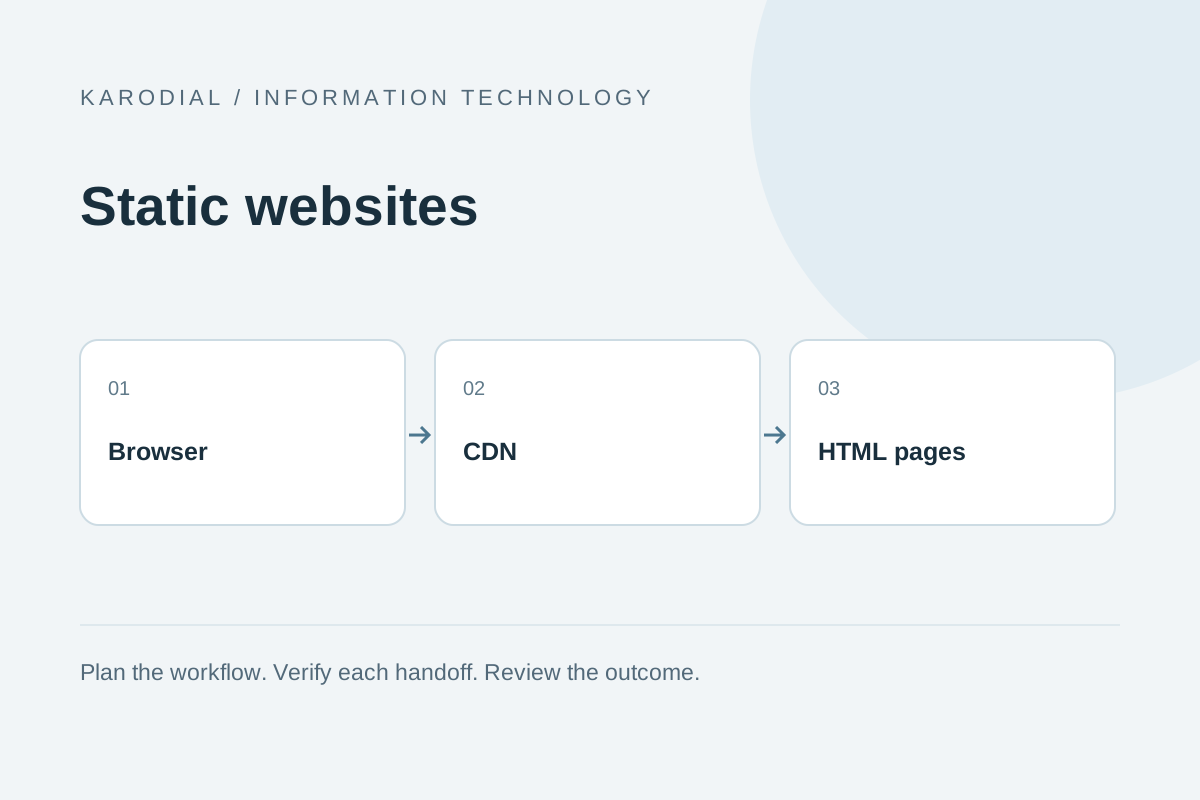
A static website delivers page files that have already been prepared. Those files usually contain HTML for structure, CSS for presentation and JavaScript for optional interactions. A visitor requests a page, and the hosting system returns the saved version. It does not normally assemble a personalized page by querying a customer database for each visit. Static pages can still contain animations, navigation menus, responsive galleries and rich visual design. Static describes the delivery architecture, not the visual quality.
Content may be written directly in files or generated from a content system during a build. Both approaches can produce static output. A website with hundreds of articles can therefore be static even when editors use a convenient publishing tool. Ask how a change becomes public rather than judging architecture by appearance. A simple page can be dynamic, while an impressive interactive page can largely consist of static assets.
Start with the customer's questions
List what visitors need before selecting a design. A local repair business might need services, service areas, opening hours, example work, frequently asked questions and contact details. A consultant might need a profile, selected projects and a clear enquiry form. Give each important question a useful destination. Avoid creating separate pages simply to make the website seem larger. A clear five-page site can outperform a confusing collection of thin pages.
Prepare real business information early. Confirm phone numbers, addresses, service descriptions and image permissions. Write headings that explain the offer in ordinary language. Place the primary action where visitors naturally finish evaluating the service. Mobile visitors should be able to call or open an enquiry form without navigating through decorative sections. Content planning prevents expensive redesign work because it reveals the real structure before the visual layout becomes fixed.
Choose an editing workflow that will last
A static site is a good fit when public content changes occasionally and changes can follow a review process. Someone updates the source, checks a preview and publishes a new version. A developer can do this, but a suitable content management interface can also support nontechnical editors. Decide who owns that responsibility after launch. A technically elegant website becomes frustrating if nobody knows how to change an opening time.
Agree on a realistic turnaround for routine edits and urgent corrections. Keep source files under version control so previous content can be recovered. Separate production publishing rights from ordinary editing access. If several employees need immediate updates throughout the day, compare a dynamic content system or a static publishing tool with preview support. The right workflow is the one the team can consistently operate, including when its original developer is unavailable.
Hosting, domains and reliable delivery
The domain name, hosting account and website files are separate assets. Register the domain using a business-controlled account and keep renewal contacts current. Static hosting can serve files directly, often through a content delivery network that places cached copies closer to visitors. That can simplify delivery, but speed still depends on page weight, network conditions and how the site is built. Avoid promises that every static site loads instantly.
Enable HTTPS, confirm the preferred domain and redirect alternate versions consistently. Check both the root address and the www address if both are used. Set sensible caching for images and versioned assets while allowing corrected HTML to appear promptly. Keep a recoverable release copy and document DNS settings. A hosting migration is much easier when the business can identify its domain registrar, DNS provider and current publishing process without guessing.
Forms and external features need services
A static page cannot securely send email by hiding an SMTP password in browser code. An enquiry form needs a server endpoint or an appropriate form service to validate submissions, apply abuse controls and deliver the message. Keep secret credentials on that service. Show a success message only after the receiving system has accepted the enquiry. If delivery fails, provide a useful next step and preserve information where practical.
The same principle applies to bookings, payment links, chat widgets and newsletter subscriptions. These features may connect the static website to dynamic services. Decide which system owns the customer record and how errors are handled. Review what information each external script receives. A lightweight website can become slow or intrusive when too many third-party widgets are added without evaluating their value, accessibility, privacy implications and effect on the customer's journey.
Build for mobile, accessibility and search
Make the core content usable on narrow screens before polishing large desktop layouts. Use readable text, visible focus states, meaningful headings and labels associated with form fields. Give informative images useful alternative text and leave decorative image alternatives empty. Menus should work with a keyboard, and important information should remain available if optional animation fails. These are everyday usability requirements, not finishing decorations.
Search visibility begins with useful, crawlable pages. Give each page a descriptive title, a relevant summary and internal links from appropriate places. Publish a sitemap containing real public pages and handle removed pages deliberately. A static architecture does not automatically produce good search results. Original information, clear organization, working links and a maintained business identity matter. If the site has two languages, provide complete translated pages and a language switch that keeps visitors on the corresponding content.
Protect the smaller attack surface
Serving saved files can remove some application risks, but it does not eliminate operational security. An attacker who controls the domain, hosting account or publishing pipeline can still replace your pages. Use strong authentication and restrict publishing access. Review dependencies and third-party scripts. Store environment secrets outside public files and check release archives for accidental configuration leaks before uploading them.
Keep forms protected against abuse and validate submissions on the receiving server. Do not rely on browser validation alone. Limit collected information to what the enquiry actually requires. Back up source content and verify that a previous version can be restored. Review access when a contractor leaves. Security works best as a small set of repeatable habits tied to real ownership, rather than a one-time claim that static websites cannot be compromised.
A practical example: a local design studio
Consider a fictional studio that needs a home page, a services page, a portfolio, an about page and contact information. Its portfolio changes monthly. A static build can publish these pages together, with compressed project images and a form connected to a separate validated endpoint. The studio receives enquiries in a shared inbox and records qualified opportunities in its CRM. There is no need to create customer accounts merely to display completed work.
Before launch, the owner reviews every service description and tests the contact flow on a phone. A colleague checks keyboard navigation and image captions. The team agrees that urgent contact corrections receive priority, while portfolio updates follow a monthly schedule. This example shows the useful boundary: the public website remains straightforward, while operational systems handle messages and sales activity. If customers later need private project dashboards, that additional requirement deserves a separate architecture decision.
Compare the full cost and launch carefully
Compare the complete operating cost, including design, content preparation, domain renewal, hosting, forms, support and future updates. A low hosting bill does not mean unlimited editing is free. Conversely, paying for a large administration system may bring little value if the content rarely changes. Ask for clear ownership of source files, account access and approved design assets. Document which services renew separately.
Use a launch checklist that follows the visitor journey. Open every important page, test real form delivery, check broken links, inspect mobile layouts and confirm HTTPS. Verify that the correct production pages can be indexed and that private previews remain restricted. Record a rollback procedure and a person responsible for it. A static website succeeds when accurate content, dependable delivery and a manageable editing process work together. Choose it because that combination fits your business, then maintain those fundamentals as the site grows.