A dynamic website becomes useful when visitors need more than the same public information. They might sign in, view their orders, book an available appointment or manage a profile. Employees may need to update products, approve requests or track enquiries. These activities require rules, stored information and clear responsibility. The challenge is not simply adding a database. It is designing a system that gives the right person the right information and remains dependable when something changes. Start with the business workflow, then choose the technical structure that supports it.
Understand the request and response
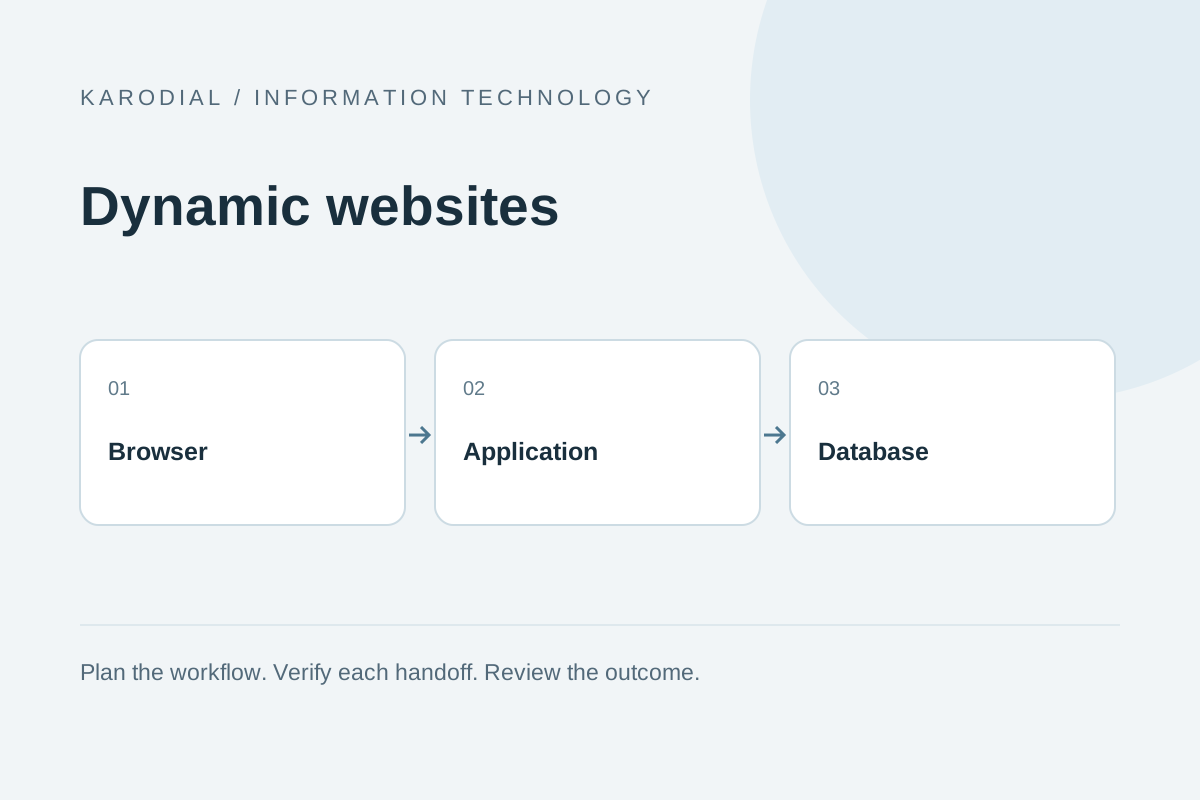
In a typical dynamic website, the browser sends a request to an application. The application checks the request, reads or updates permitted data and returns a page or structured response. A database holds records such as products, bookings and account details. Some pages can still be cached or served as static assets. Modern websites often combine several approaches rather than following one architecture everywhere.
Imagine a customer viewing an order. The server must identify that customer and verify that the requested order belongs to them. Knowing an order number is not permission to read it. The application then returns the allowed details. This example explains why dynamic work includes access control, validation and error handling alongside visible design. A smooth screen is only the public surface of a larger operational process.
Translate requirements into specific journeys
Avoid starting with a vague requirement such as a complete business portal. Write down who needs to do what. A customer books a slot, an employee confirms it and a manager reviews cancellations. Each journey should describe its inputs, permitted actions and final result. Include awkward cases: the slot becomes unavailable, the customer closes the browser or an employee leaves the company.
Separate essential launch features from later improvements. A small, dependable booking flow is more valuable than many unfinished modules. Agree on acceptance criteria using examples the team can actually test. For instance, two customers must not receive the same exclusive appointment. This is more precise than saying the calendar should be advanced. Written journeys also reveal where manual approval is useful and where automatic actions can safely reduce routine work.
Design data around real ownership
Create a data model before importing spreadsheets. Distinguish a person, an organization, an enquiry and a sale instead of storing everything in one free-text field. Give records stable identifiers and define relationships explicitly. Decide which fields are required, which can change and which represent historical evidence. An invoice snapshot, for example, should not silently change when somebody edits a customer's current address.
Use appropriate constraints to protect important rules and transactions when several changes must succeed together. Validate incoming values and normalize formats deliberately. Keep business time zones explicit. Document what happens when records are merged, archived or deleted. A thoughtful model does not need to be complicated, but it should prevent routine misunderstandings. Reliable reporting becomes much easier when the system records meaningful events rather than relying on employees to reconstruct them later.
Make the admin panel a working tool
An administration panel deserves the same attention as the public website. Employees need useful search, clear status labels, manageable forms and helpful confirmation messages. Show the current state and the next permitted action. Avoid exposing internal codes as customer-facing names. If a request is pending review, the screen should explain who can act and what information is missing.
Define roles around responsibilities. A sales employee may update assigned enquiries while a finance user handles billing. Administrative access should not automatically mean unrestricted access to every private record. Record significant changes with the actor and time so mistakes can be investigated. Give staff a safe way to correct ordinary errors without editing database tables manually. Good admin design reduces both training costs and operational risk.
Treat authentication and authorization separately
Authentication establishes who is signing in. Authorization decides what that identity may do. Both checks belong on the server. Hiding an edit button does not prevent an unauthorized request. Verify record ownership and role permissions for each sensitive action. Protect state-changing forms against inappropriate cross-site requests, validate inputs and encode output for its destination.
Use established identity components where appropriate and configure session security carefully. Plan account recovery, verification and access removal. Avoid collecting unnecessary sensitive information because every stored field creates a maintenance obligation. Keep credentials outside public files. Review dependencies and apply security updates. These practices are part of operating a dynamic website; they should be considered during planning rather than added after the first incident.
Connect services with clear failure behavior
Dynamic websites often integrate email, messaging, payment services, CRM tools and accounting systems. Each connection needs an owner and a defined contract. Decide what counts as acceptance, completion and failure. A provider accepting a job does not necessarily mean the customer received the message or the background task finished. Preserve provider identifiers so later evidence can be matched to the correct operation.
Use background workers for tasks that should not keep a visitor waiting. Where a provider supports webhooks, validate callbacks and process repeated deliveries safely. Design important writes so retrying the same request does not accidentally create duplicate bookings or messages. An ambiguous network timeout deserves investigation, not an automatic assumption that nothing happened. Clear states let staff handle exceptions without creating a second problem while trying to fix the first.
Balance performance with correctness
Improve performance by measuring representative pages and workflows. Reduce oversized assets, avoid repeated database queries and add indexes for actual access patterns. Cache public content where appropriate. Personalized responses need careful cache rules so one person's information never appears to another visitor. The fastest incorrect result is not an improvement.
Plan for expected traffic, background jobs and third-party limits. Test realistic record volumes instead of only an empty development database. A list that works with ten enquiries may become slow with thousands. Use pagination and bounded exports. Keep expensive reports separate from ordinary customer actions. Agree on useful operational targets, then monitor them. Performance planning should reflect how the business works rather than relying on a framework's marketing claims.
Test journeys, permissions and recovery
Test the full path from a visitor's action to the saved record and any outgoing communication. Confirm that unauthorized users cannot read or modify another account's information. Exercise invalid input, expired sessions, repeated submissions and provider failures. Check mobile layouts, keyboard use and the accessibility of validation messages. Testing only the happy path leaves the most expensive mistakes undiscovered.
Prepare backups and actually verify restoration in an isolated environment. Know what data could be lost between backups and how long recovery might take. Keep development and production separated. Use reviewed database migrations and a documented release procedure. If a release fails, the team needs a realistic rollback or forward-fix plan that accounts for data changes, not just a copy of yesterday's page files.
A practical rollout for a service business
Consider a fictional maintenance company replacing a shared spreadsheet. The first release captures enquiries, assigns an owner and tracks appointments. Customers receive a reference after the server saves their request. Staff can update the status, while managers review workload. The team postpones complex invoicing until the enquiry and scheduling process is stable. This keeps the initial system understandable.
Before launch, employees test actual working scenarios with invented data. The business confirms who responds to failed notifications and who manages access. A limited rollout reveals confusing labels and missing fields. Improvements are made before the system becomes the only operational record. Budget for hosting, monitoring, support and future changes as well as the initial build. A dynamic website creates value when its rules, people and stored information remain aligned throughout everyday use.