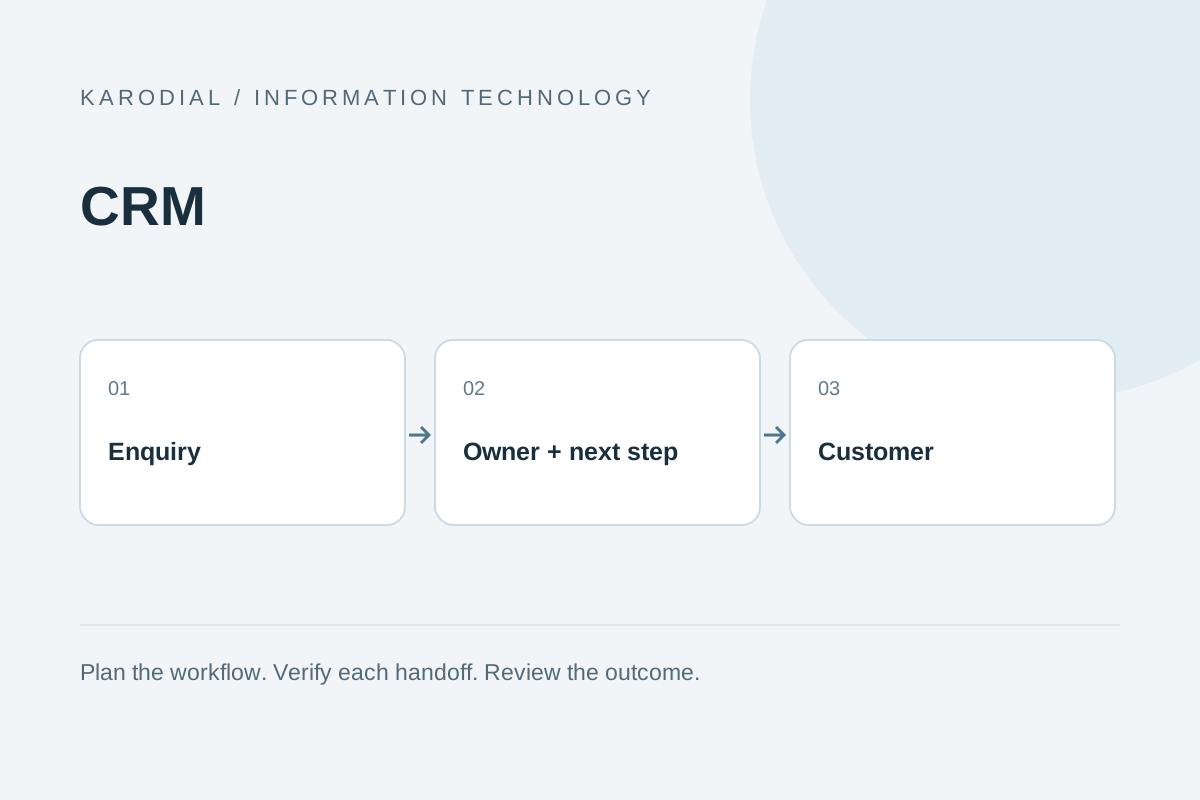
A business can attract plenty of enquiries and still lose opportunities because nobody knows who should respond next. Contact details remain in personal phones, conversations disappear into inboxes and a promising lead receives no follow-up. Customer relationship management, or CRM, addresses that coordination problem. Software helps, but the working process matters just as much. A useful CRM gives the team a shared picture of the customer, a responsible owner and a clear next action. Start there before collecting a long list of features.
Define the problem before choosing software
Describe the current problem in observable terms. Are enquiries missed, follow-ups delayed or customer conversations scattered? Does management struggle to distinguish active opportunities from old contacts? Pick a small number of outcomes that would improve everyday work. For example, every new enquiry should have an owner and a scheduled response. This is easier to evaluate than a vague promise to transform sales.
Speak with the people who will use the system. Sales staff, service employees and managers may need different views of the same relationship. Identify the information each role needs and the actions it must complete. Avoid copying another company's entire process without checking whether it fits. A CRM should support your actual customer journey, including the work that happens after a sale.
Separate contacts, leads and opportunities
A contact is a person or an organization you know about. A lead represents potential interest that needs assessment. An opportunity is usually a more specific sales possibility with an expected next step. The exact terminology varies between products, so agree on internal definitions and use them consistently. A purchased contact list is not automatically a pipeline of qualified opportunities.
Keep a short field dictionary beside the implementation. It should explain the meaning of important labels, the team responsible for updates and examples of acceptable values. New employees can then use the record consistently without learning a different unofficial definition from each colleague.
Store stable identifiers and meaningful relationships. One organization may have several contacts and several opportunities. Keep the original enquiry message available where useful instead of replacing it with a vague label. Decide which fields are mandatory at each stage. Requiring too much information at first contact can slow the team, while accepting no structure makes reporting unreliable. Collect information progressively as the relationship becomes clearer.
Build a pipeline that describes reality
A pipeline is a set of stages that helps the team understand progress. For a service business, stages might include new enquiry, initial discussion, requirement review, proposal, decision and closed outcome. These are examples, not universal instructions. Each stage should have an entry condition and an expected next action. Avoid several labels that all mean somebody is thinking about it.
Distinguish won, lost and inactive outcomes. Record a useful reason when an opportunity closes without a sale, without forcing employees to invent an explanation. Keep historical changes where they matter. Moving a card on a board is not evidence of customer agreement. Clear stage definitions help managers ask useful questions and prevent a visually busy pipeline from becoming a substitute for real customer progress.
Assign ownership and the next action
Every active enquiry should have a responsible owner, even when several colleagues contribute. Ownership does not mean other employees cannot help. It means somebody is accountable for the next step. Assign records using understandable rules such as service area, availability or product expertise. Provide a fallback when the intended employee is absent.
Record the next action and its due time. Call tomorrow is less useful than a dated task with a short purpose. Make overdue work visible without encouraging meaningless activity logging. A customer who requests no further contact should not receive automatic follow-ups because an old task remains open. Design reassignment and escalation so enquiries do not disappear during holidays, resignations or changes in team structure.
Connect the website without creating clutter
A website form can create a CRM enquiry after server-side validation and successful local acceptance. Save a reference linking the submission to its CRM record. Include source context such as the service page or a deliberately defined campaign identifier. Do not collect unnecessary browsing details simply because a tool makes them available. Give staff the context needed to respond intelligently.
Plan for duplicates and temporary integration failures. A repeated form submission should not create multiple conflicting owners. If the CRM is unavailable, preserve the enquiry and show staff what needs reconciliation. Avoid hiding integration errors behind an optimistic success message. The customer's submission and the team's follow-up are related but separate responsibilities, and both deserve a clear status.
Keep communication useful and permitted
A CRM can organize email, phone notes and messaging history. Decide what belongs in the shared record and who may see it. Keep contact preferences and opt-out information available to every relevant communication workflow. Do not treat an enquiry about one service as unlimited permission for unrelated promotional campaigns. Review current provider and local requirements before activating automated outreach.
Write notes that help the next employee understand the conversation. Record agreed needs, unanswered questions and promised actions. Avoid insulting labels, unnecessary personal detail and speculation presented as fact. If calls are recorded or transcribed, define notice, access and retention through the appropriate reviewed process. A shared customer history should improve continuity of service rather than become an uncontrolled collection of private information.
Automate a small number of reliable rules
Start with useful, bounded automation: assigning a new enquiry, reminding an owner about an agreed follow-up or flagging a record that lacks a next action. Each rule should have an understandable trigger and a visible outcome. Add safeguards against repeated messages and loops between connected systems. An automation that nobody can explain will be difficult to trust.
Keep consequential decisions reviewable. Software can suggest that an opportunity is inactive, but the team should understand why before closing it automatically. Test rules with invented records and realistic edge cases. Provide a way to pause an incorrect rule quickly. Measure whether automation reduces missed work or merely generates more notifications. The best result is a clearer working day, not a larger count of automated actions.
Measure outcomes that support decisions
Useful reports connect activity with business outcomes. Track response time, ageing enquiries, conversion between well-defined stages and reasons for lost opportunities. Interpret numbers in context. A high call count may indicate effort without useful conversations. A low conversion rate may reflect poor lead fit, unclear offers or inconsistent stage definitions rather than one employee's performance.
Keep reporting periods and ownership rules clear. Historical reports should not silently change when a record is reassigned today. Compare like-for-like groups and avoid claiming precision from incomplete data. Use a small set of shared definitions so different dashboards do not tell incompatible stories. Reports become valuable when they support a concrete decision, such as changing enquiry routing or improving a proposal process.
Roll out with a realistic working example
Consider a fictional interior design company. Its enquiries arrive from a website, phone calls and referrals. The first CRM release captures the source, assigns one owner and requires a next action for active opportunities. The pipeline distinguishes consultation, brief review, proposal and decision. After a sale, the record links to project delivery rather than ending the customer relationship.
Import a small, cleaned sample before moving the full contact history. Check duplicate handling, staff permissions, exports and backups. Train the team using its real workflow and invented customer details. Review adoption after several weeks: are owners assigned, tasks useful and records accurate? Budget for configuration, migration, training and maintenance alongside subscription costs. CRM succeeds through consistent habits and clear responsibility. The software earns its place when customers receive better follow-up and employees can rely on the shared record.