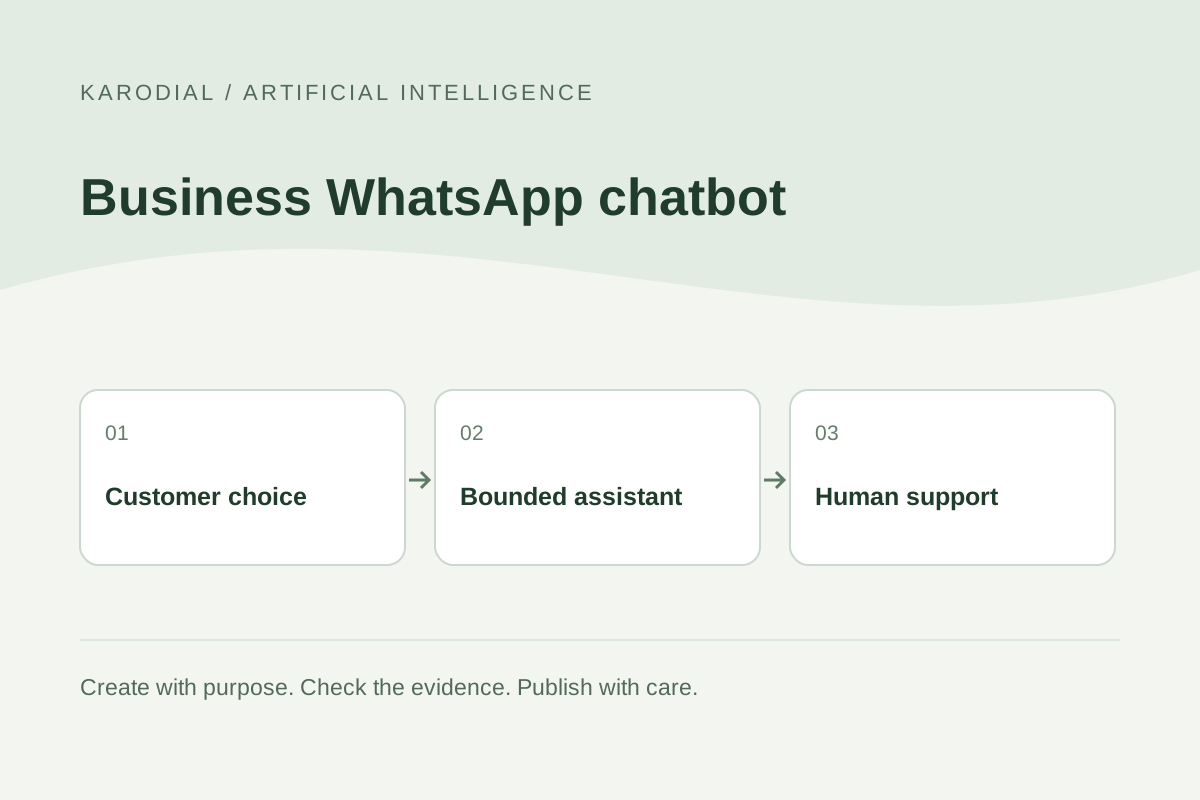
A small business chatbot should help a customer complete a specific task: find service information, understand the next step or reach the right employee. Adding AI to WhatsApp does not remove the need for accurate information and responsible communication. The useful design begins with the customer journey and the team's capacity to help. This guide follows a fictional workshop handling enquiries from its website. It explains planning and operation, not a claim that a particular KARODIAL account already has a WhatsApp integration or that every provider supports identical features.
Choose a limited customer problem
List the questions the team answers repeatedly. Opening hours, service areas, materials and how to request a quotation may suit a maintained information assistant. Complex complaints, unusual commitments and sensitive decisions may need a person. Start with a small set of tasks whose correct outcome can be checked. Avoid designing the first release as an unlimited assistant for every possible question.
For the workshop, the bot can explain the enquiry process, collect a brief description and offer a human follow-up. It should not invent a final price or promise delivery without an authorized business decision. Write the limits in plain language. The customer should understand what the assistant can do and how to continue when their request needs more attention.
Select the appropriate business setup
Distinguish the WhatsApp Business app from a Business Platform integration. A developer-built assistant generally needs the supported platform route and an appropriate service setup. Confirm account ownership, number onboarding, provider support and current terms before choosing the implementation. A tutorial showing one provider's dashboard does not prove the same controls exist everywhere.
Keep long-term administrative access within the business. Document who can change credentials, update templates and investigate messaging failures. Check whether an existing number can be used through the intended supported workflow rather than assuming a migration is automatic. Avoid unofficial automation that relies on fragile workarounds. The business needs a maintainable communication channel, not a demonstration that works only while one developer's personal browser session stays open.
Respect permission and messaging rules
Review the current WhatsApp Business Messaging Policy for your actual use. As checked on 29 October 2026, business contact requires the appropriate recipient permission, platform-initiated conversations use approved templates and free-form replies are tied to the customer-service window. The policy also requires clear escalation paths when automation is used. Consult the linked policy for details and changes.
Store contact preferences and respect requests to stop. A website enquiry is not unlimited permission for unrelated promotions. Separate an expected support reply from a new campaign. Review the applicable platform terms as well as provider onboarding requirements. The example in this guide is a focused business support workflow. No generic article can establish that every intended automated service is permitted under every current contract.
Prepare a small, reliable knowledge base
Use approved facts rather than an unreviewed collection of documents. Confirm service descriptions, hours, areas and the process for requesting a quotation. Give each answer an owner and an update process. Remove contradictory material. A friendly answer is still a failure when it repeats an outdated delivery promise or sends the customer to an inactive contact.
Write fallback language for missing information. The bot can say that a team member needs to confirm a detail instead of guessing. Test questions phrased in different ways, including Hindi and English. Keep long policies in appropriate linked pages rather than forcing a full document into every message. Short, accurate responses with a useful next step are generally easier for customers to act on than a large generated explanation.
Connect tools with controlled authority
An assistant may need to create an enquiry or read an authorized status. Give it narrowly defined server-side tools with validated arguments. Keep API secrets outside browser code and messages. Verify record ownership before returning private information. The model suggesting an action is not permission to perform any database operation it can describe.
Save an enquiry before telling the customer it has been received. If a tool fails, show an honest fallback and preserve enough evidence for staff to investigate. Protect repeated requests so they do not create several records or duplicate messages. Link local operations to provider identifiers. These are ordinary integration responsibilities, and they remain necessary even when the visible interface is a natural conversation rather than a conventional form.
Make human handoff real
Offer a direct route to a person and define who handles it. The handoff can include an in-chat agent, a monitored contact route or a properly recorded callback request, depending on the actual supported setup. Tell the customer what to expect. Do not promise an immediate response when the team is unavailable.
Keep a concise summary of the request for the receiving employee, while limiting unnecessary private information. Avoid making the customer repeat everything. Define triggers for handoff: repeated misunderstanding, a request outside scope, a complaint or an explicit preference for human help. A visible human option is useful only when the operational process behind it works. Staff availability and ownership therefore belong in the design from the beginning.
Test conversations and failures
Use invented records and controlled test contacts. Try ordinary questions, missing details, language switching, spelling variations and ambiguous requests. Test expired access, unavailable tools and repeated submissions. Confirm that a message pretending to be an instruction cannot bypass the assistant's permitted actions. Customer content should not become unrestricted authority over the application.
Compare the conversation with saved records. Did the enquiry actually reach the employee? Was the stated status supported by a real tool result? Did the bot respect a request to stop? Check how the system behaves outside working hours and when a human transfer fails. Testing only a pleasant greeting leaves the important business responsibilities unverified. Keep a small repeatable set of tests for every knowledge or workflow update.
Launch with measurable service goals
Start with a limited pilot and inspect the whole journey. Useful measures include whether customers find an answer, whether handoffs reach a person and whether staff receive usable enquiries. Count unsupported claims and incorrect actions, not only completed conversations. A large message count can hide a frustrating experience in which customers repeatedly ask the same unanswered question.
For the fictional workshop, the first accepted result is accurate service information and a dependable enquiry handoff from the website to the team. New features can follow when a real need is demonstrated and permissions are reviewed. Keep costs, provider changes, access and knowledge updates under an identified owner. A useful WhatsApp AI chatbot is a maintained customer service process. The model helps with conversation; the business remains accountable for its information, actions and follow-through.