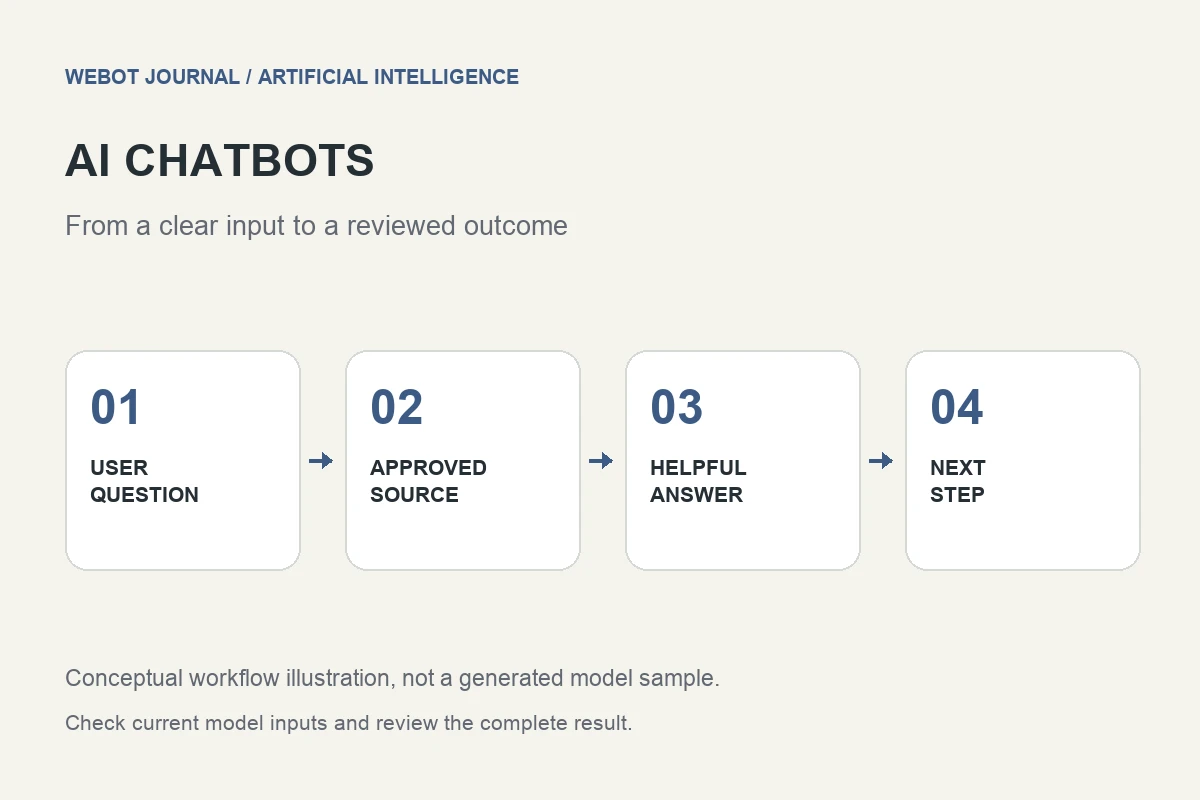
An AI chatbot helps people find information or complete a conversational task through text. It can answer questions, clarify what someone needs, guide them toward a service, or connect them with a person. Its usefulness depends on the quality of its information and the design of the interaction. A fluent answer alone does not establish that the assistant understood the customer or resolved the issue.
Consider a fictional equipment rental business adding a website assistant. Customers ask about availability, collection times, deposits, and suitable equipment. Some questions have stable answers; others require current account or inventory information. This artificial intelligence guide explains how to separate those needs and build a chatbot workflow that is helpful, understandable, and testable.
1. Choose a specific customer problem
Start with the questions customers actually ask rather than a broad ambition to automate all support. The rental business might first address collection instructions and product suitability. That scope gives the team a practical content set and a way to recognize success. The customer should leave with the correct instruction or an appropriate next step.
Write a short boundary statement for the chatbot. Explain which topics it can answer, when it needs more information, and when it should connect the customer with staff. A small assistant that reliably answers a defined set of questions can be more useful than a wide-ranging assistant whose confidence is difficult to assess. Expand the scope when the evidence supports it.
2. Prepare knowledge that has a clear owner
Collect current service descriptions, instructions, and policies in an understandable structure. Remove contradictory versions and identify who updates each source. If collection hours differ by location, state that relationship explicitly. A chatbot cannot reliably resolve conflicting policy documents by guessing which one the business intended to use.
Write information for retrieval as well as human reading. Use clear headings, concrete terminology, and complete explanations of important conditions. Keep exceptions near the rule they qualify. A short answer that omits the condition attached to a deposit can mislead a customer even if its quoted words are technically present in the source. Content preparation is therefore part of chatbot design, not a one-time upload task.
3. Distinguish public answers from current private information
A public FAQ can explain how collection works. It cannot establish whether a specific customer’s reservation is confirmed or whether an item is available at this moment. Those answers require the appropriate live system and, where relevant, verified account access. The chat interface should not imply access merely because the user typed a reservation number.
Use established authentication and ownership checks for protected information. Keep model-supplied identifiers separate from authorization. If the assistant cannot verify a booking, it should explain the limitation and provide a useful route forward. A clear distinction between general guidance and account-specific facts prevents a common failure: a helpful-sounding response that accidentally presents an assumption as a confirmed business record.
4. Design conversations around the next useful question
When a customer asks which tool to rent, the chatbot may need to know the intended job before recommending a product category. Ask the smallest useful question and explain why it matters if the reason is not obvious. Avoid a long interrogation before providing any help, especially when the original question can already be answered from public information.
Keep the conversation’s state understandable. If a customer changes the collection location, later instructions should use the new location. If the assistant is uncertain about an ambiguous product name, it should clarify rather than silently selecting one. Good conversational design makes it easy for the customer to correct a misunderstanding before it affects an important answer or action.
5. Add actions only when the integration supports them
A chatbot can describe a booking process without being authorized to create a booking. If you connect tools, define each action’s inputs, permissions, and success evidence. Looking up inventory, calculating an estimate, and submitting an order are separate operations. The interface should make clear when the customer is considering an option and when an actual request has been accepted.
Do not claim that a business process has completed because the language model produced a confirmation sentence. The external system’s verified response determines the outcome. An ambiguous tool result should remain unresolved until the integration establishes what happened. Repeating an accepted write request without checking saved evidence can create duplicate actions and undermine an otherwise clear customer conversation.
6. Make human handoff useful
Customers need a practical route to staff when the question is outside scope, information conflicts, or a live operation cannot be confirmed. State the next step clearly and transfer the relevant confirmed context where the system supports it. Avoid making the customer repeat an entire conversation unnecessarily, while also avoiding transfer of irrelevant personal information.
Design the handoff message before launch. It should distinguish the customer’s request, information already checked, and any action still pending. Do not summarize an unresolved reservation as a successful booking. The receiving person should understand what needs investigation. A well-designed handoff is a normal part of the service, not evidence that the chatbot failed by refusing to invent an answer.
7. Test answers against source material and outcomes
Build a representative test set: ordinary questions, ambiguous wording, missing details, outdated information, requests outside scope, and attempts to obtain another customer’s data. Review correctness, clarity, useful clarification, appropriate authorization, and handoff behavior. A polished greeting should not outweigh an incorrect answer to a common policy question.
If tools are connected, inspect the external result as well as the conversation. Keep versions of knowledge and configuration so a later behavior change can be investigated. Feedback should point to the actual problem: a missing source, poor retrieval, confusing instructions, or a broken integration. These causes need different fixes, and changing the system prompt alone will not address every one of them.
8. Launch with a maintenance plan
Review the chat experience on mobile, including the input field, long answers, keyboard behavior, and access to human support. Keep important answers readable and avoid unnecessary walls of text. Give people enough context to understand what the assistant can do. A conversation widget should support the website’s task instead of obstructing the page or hiding essential information.
WeBot’s chatbot service pages provide a starting point for exploring supported workflows; the current configuration determines each assistant’s capabilities. Assign an owner to content updates, review failures, and test changes before expanding scope. A useful AI chatbot is maintained like a customer-facing service: accurate information, clear boundaries, verified actions, and a sensible next step when the answer is not yet known.
Sources and further reading
Originally published by WeBot. Republished on KARODIAL on 29 October 2026. View original article